Screen map: the happy path from Inquiry to Prospect
Every screen a Sales Agent touches on the phone, and the same path on desktop. Each screen says whether it was built for the pilot (custom), is Salesforce as delivered (standard), or is a standard screen with pilot components on it (mixed). Screens were captured in Dev9 on desktop and on the phone.
Mobile path (Sales Cloud Mobile app)
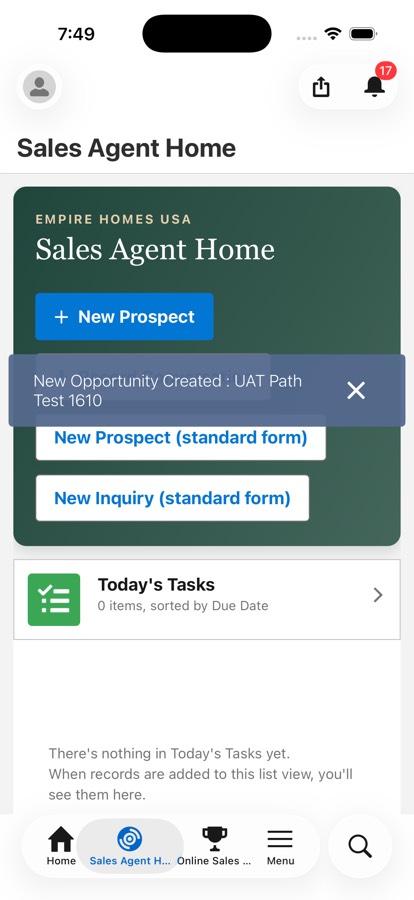
Sales Agent Home
CustomPilot page: New Prospect, New Prospect (standard form), New Inquiry (standard form), Record Conversation, task lists. Shown to users with the Sales Agent persona.
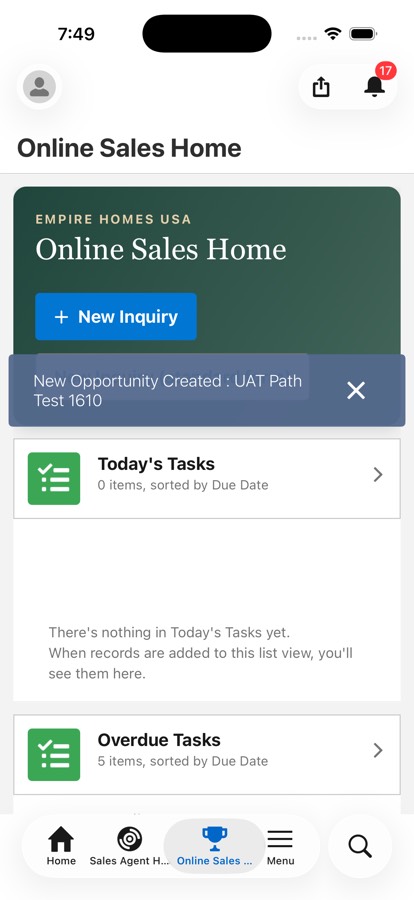
Online Sales Home
CustomPilot page: New Inquiry (guided), New Inquiry (standard form), today's and overdue tasks. Shown to users with the Online Sales persona. No Record Conversation here by design.
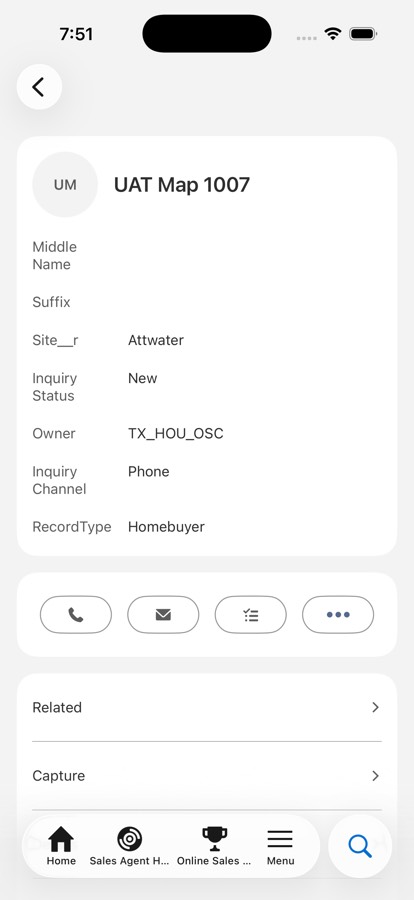
Inquiry summary card
StandardSalesforce's seller-focused card. Fields from the compact layout, standard actions only, then Related, Capture, Details, View Full Record. The Record button cannot be placed here. Capture row is the pilot tab, gated by pilot access.
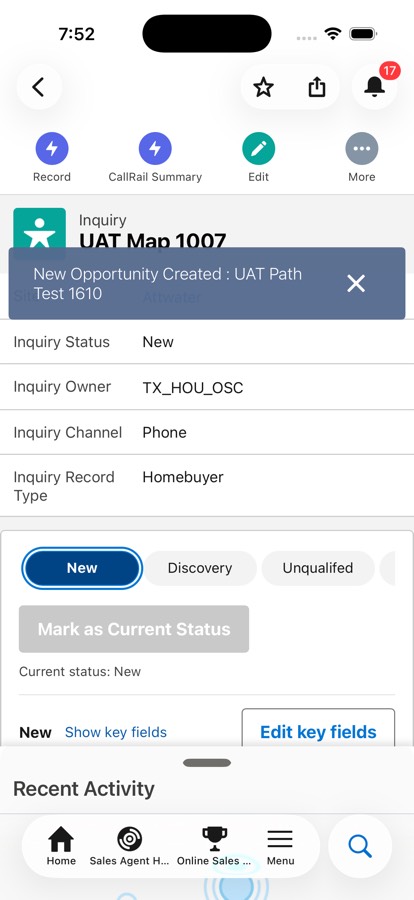
Inquiry full record
MixedStandard record page frame. Pilot additions: Record, CallRail Summary actions, the status path with Mark as Current Status, key fields, and the Capture tab below.
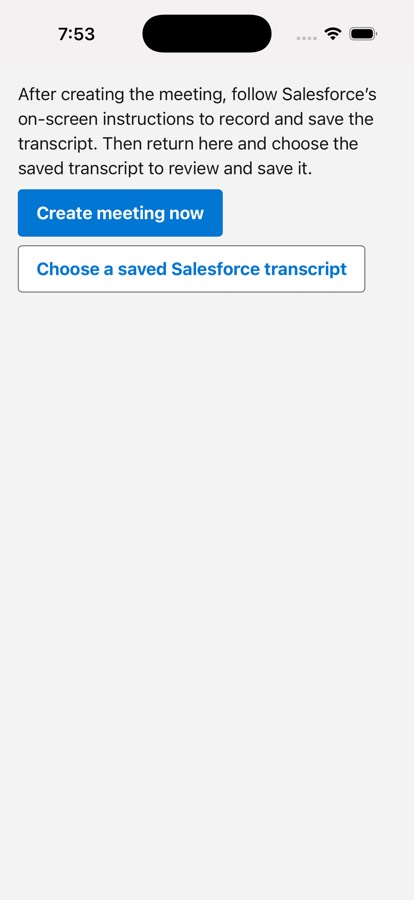
Record Conversation launcher
CustomPilot page. Create meeting now makes the meeting on this Inquiry and jumps to Home. Choose a saved Salesforce transcript lists this user's saved recordings.
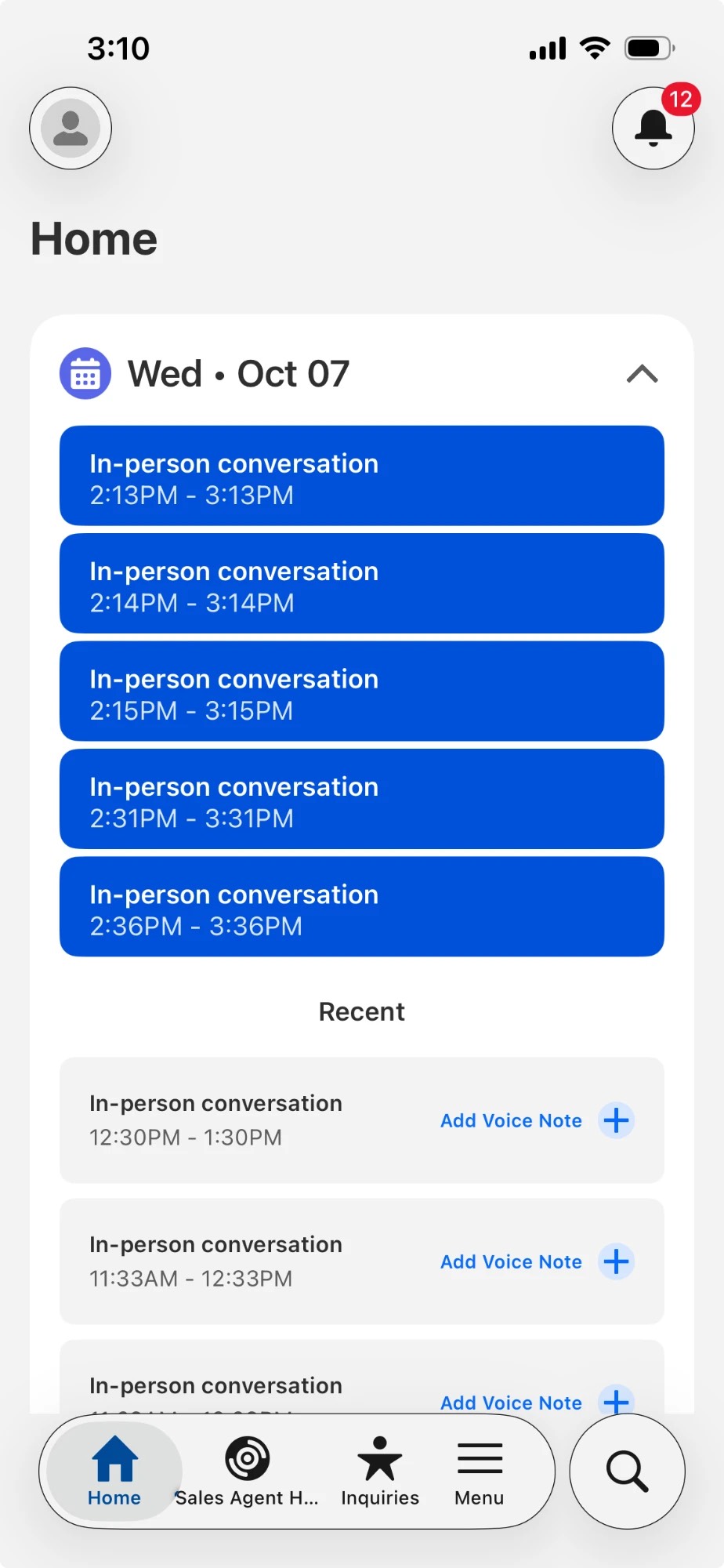
Home with today's meetings
StandardSalesforce Home. The new meeting appears after a pull-down refresh. Shows at most five current meetings, so older meetings can hide a new one.
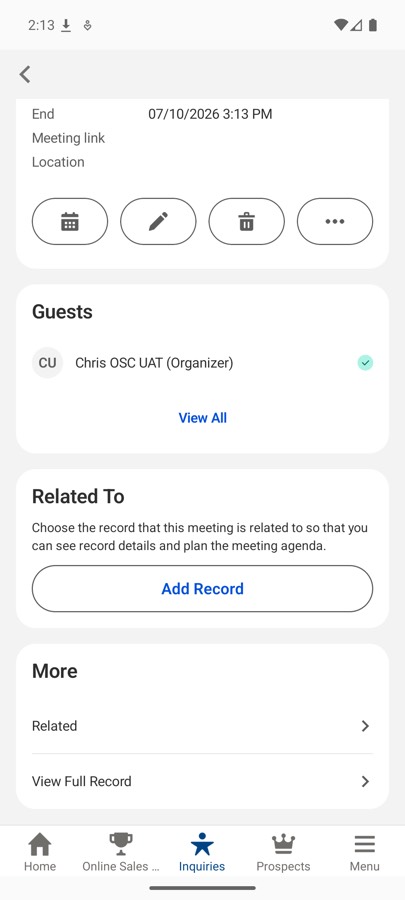
Native meeting page
StandardSalesforce meeting page. With the right licences it shows Meeting Assistant Tools, then Launch In-Person Meeting Assistant, consent, Start, Stop Transcribing, Save Meeting Notes. Shown here before the Conversation Insights licences were added, so the card is absent.
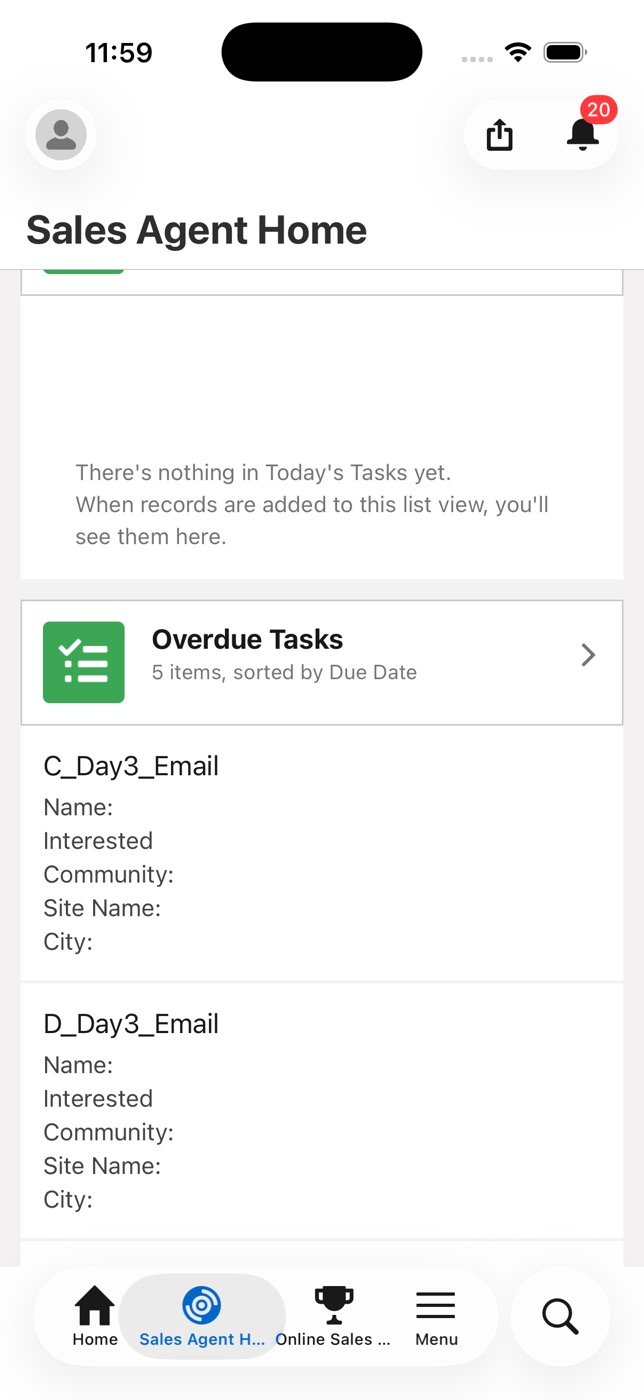
Launcher after the meeting exists
CustomReturning to Record shows the meeting status: Go to Home, Create another meeting, Choose a saved transcript, Close. The same meeting is reused for an hour, which prevents duplicates.
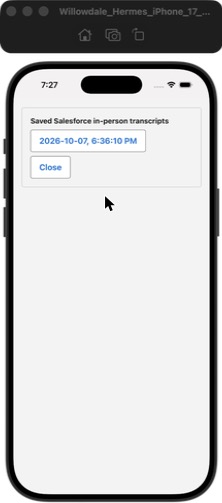
Saved transcript chooser
CustomLists this user's saved in-person transcripts by date and time. Only the signed-in user's own meetings appear.
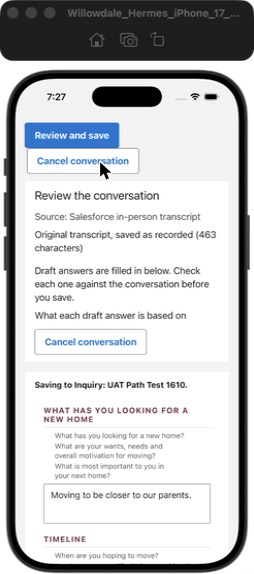
Review the conversation
CustomPilot review. The transcript is kept as recorded. The AI drafts the eight answers from it. The agent reads each one before saving.
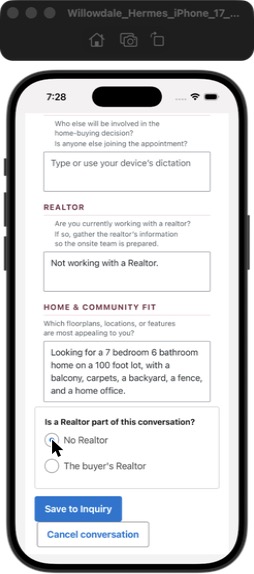
Realtor choice and Save to Inquiry
CustomRealtor question with No Realtor or The buyer's Realtor, then Save to Inquiry. Save writes the notes, links the transcript and the meeting.
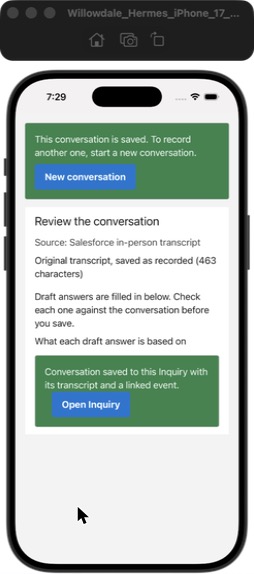
Saved confirmation
CustomConversation saved to this Inquiry with its transcript and linked meeting. Open Inquiry or start a New conversation.
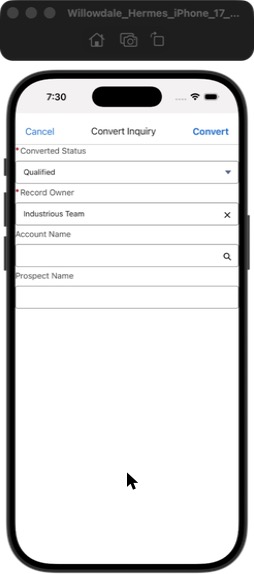
Convert Inquiry (mobile)
StandardSalesforce's mobile convert. Converted Status, Record Owner, Account Name search, Prospect Name. No create-opportunity switch: a blank Prospect Name creates no Prospect. The agent must type the name.
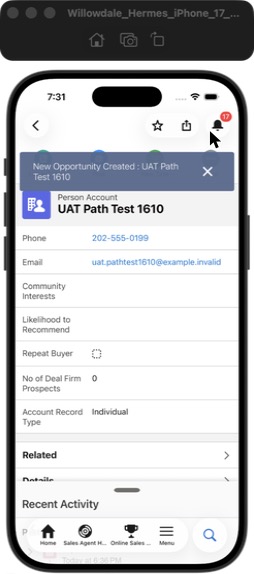
After conversion
MixedPerson Account, Contact and Prospect at stage Welcome. The notes, the Interested Community and the meeting follow the Prospect. The Prospect page carries the same Capture section.
Desktop path (Lightning, Empire Homes USA app)
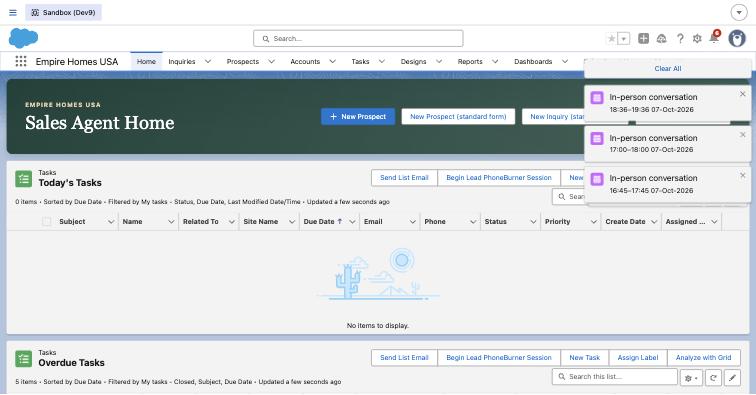
Sales Agent Home
CustomSame buttons as the phone. Record Conversation on desktop only tells the user to record in the mobile app.
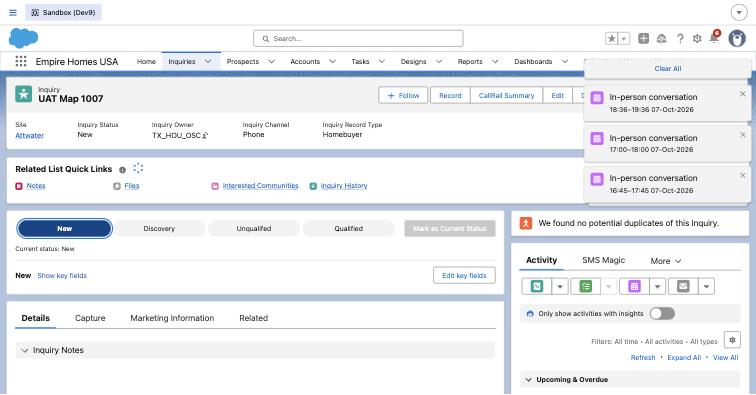
Inquiry record page
MixedStandard page frame. Pilot additions: Record, CallRail Summary, the status path, key fields, the Capture tab, Interested Communities link.
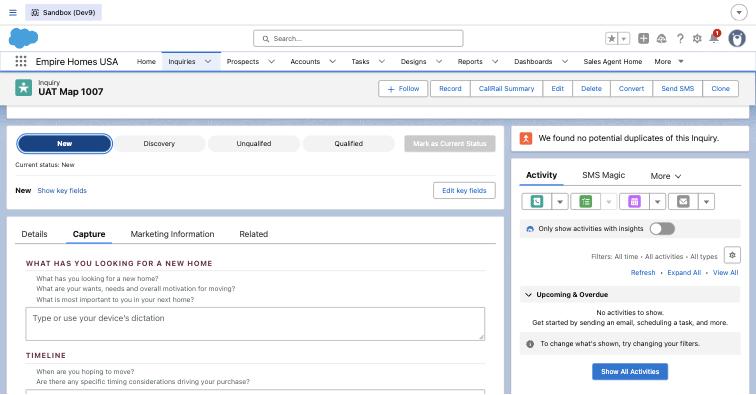
Capture tab
CustomEight qualification questions with free-text notes. Save queues the AI to fill the key fields. Owner must be a person with a pilot persona for the AI to run.

Suggest Fields on the Inquiry
CustomNew action next to Record. Asks the AI to fill the empty key fields from the Capture answers at any time, and again after new answers. Filled fields are kept; differences go to AI Suggestions. For Inquiries whose Site arrives after the answers.
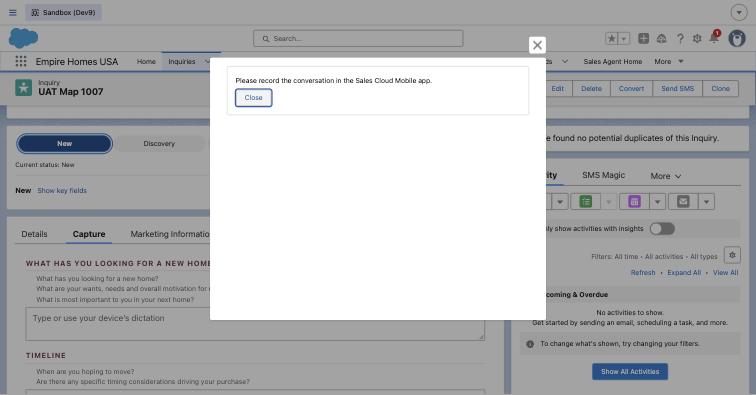
Record on desktop
CustomGuidance only: record in the Sales Cloud Mobile app. Transcript review stays on the phone.
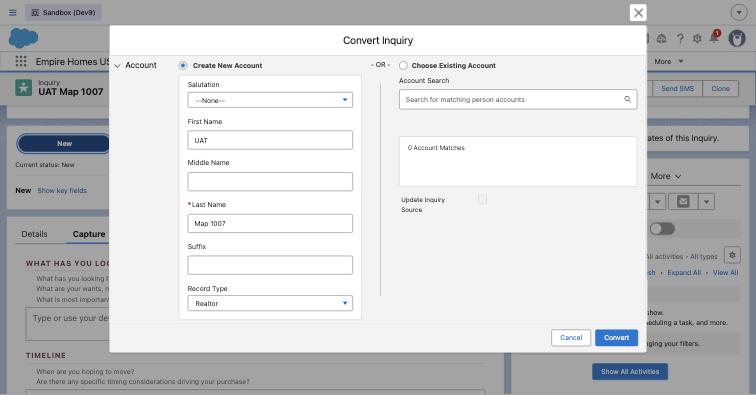
Convert Inquiry (desktop), account
StandardSalesforce convert dialog. Record Type defaulted to Realtor for administrators only. The OSC, Sales Agent and Sales Manager profiles default to Individual and cannot see Realtor. Verified in the profile settings.
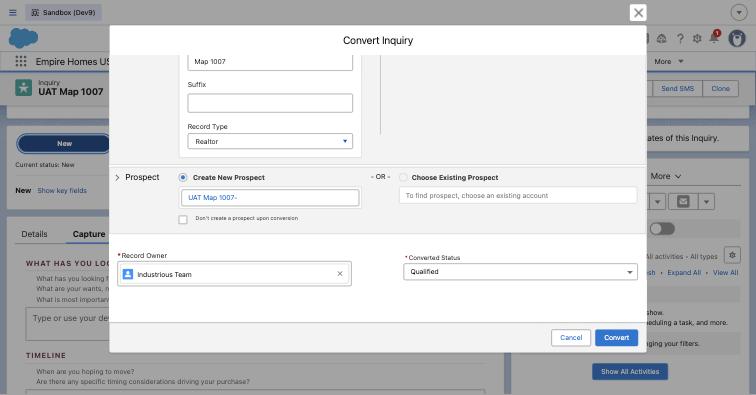
Convert Inquiry (desktop), prospect
StandardProspect name is prefilled on desktop, with a Don't create a prospect checkbox. This is why desktop conversions always made a Prospect and the mobile one did not.
Known limits and what changed
| Layer | Item | Pilot or Salesforce | Action |
|---|---|---|---|
| Infrastructure | Recording upload failed for Sales Agent users | One standard permission | Resolved: View Setup and Configuration, delivered by the Willowdale Pilot Native Recording permission set, assigned to all pilot users |
| Infrastructure | Mobile Convert creates no Prospect without a typed name | Salesforce screen | Resolved: the app tells the rep to type the name after Save to Inquiry |
| Infrastructure | Account record type default on Convert was Realtor for administrators | Profile setting | Verified: OSC, Sales Agent and Sales Manager profiles default to Individual. Realtor is hidden for them. No action |
| Infrastructure | Queue-owned Inquiry never runs the AI | Pilot eligibility rule plus the client assignment rule | Confirm with the client: AI runs once a person owns the Inquiry |
| Infrastructure | Home list caps at five current meetings | Salesforce | Remove old test meetings before sessions |
| Pilot screens | Chooser hidden behind Close after a meeting exists | Pilot | Resolved: one-tap "Choose a saved transcript" button |
| Pilot screens | Site set after the answers never queues the AI | Pilot | New: Suggest Fields button on the Inquiry page actions, ready for its first test |
| Pilot screens | Record cannot sit on the summary card | Salesforce limit | One extra tap: View Full Record |
| Personas | OSC, Sales Agent, Sales Manager, non-pilot US user | Pilot | One full run each |